Unlocking Creativity: A Comprehensive Guide to Using Tropical Flowers 3D Wind Spinners for Sublimation Projects
In the vibrant world of DIY crafting and small business entrepreneurship, finding high-quality, versatile designs is often the difference between a mediocre product and a bestseller. One such asset that has captured the attention of crafters and print-on-demand sellers alike is the Tropical Flowers 3D Wind Spinner. Whether you are looking to create summer-themed decor or add a splash of color to your outdoor spaces, understanding how to effectively use these digital assets can transform your creative output.
This guide explores everything you need to know about this specific design package, from its technical specifications and file formats to practical application tips for sublimation printing. By the end of this article, you will have a clear roadmap for integrating these stunning tropical prints into your own projects with confidence and professionalism.
Understanding the Product: What Is Included?
Before diving into the "how-to," it is essential to understand exactly what you are purchasing. The Tropical Flowers 3D Wind Spinner Summer 3D Wind Spinner is not a physical item but a digital asset pack designed specifically for direct print or sublimation applications. This distinction is crucial for beginners who might expect a ready-made plastic spinner versus a high-resolution digital file.
The package comes as a single ZIP archive, which must be extracted before use. Inside, you will find:
- High-Resolution PNG Files: The core component of the download is a set of designs in PNG format. These files are optimized for transparency, allowing you to layer them over various backgrounds if needed, though they are primarily intended for full-coverage printing on spinner blanks.
- Massive Dimensions: Each design measures an impressive 10,327 x 10,517 pixels. For context, this is significantly larger than standard web images (which are often under 2,000 pixels wide). This size ensures that when you print on large wind spinner blanks, the image remains crisp, sharp, and free of pixelation.
- Professional DPI: The files are set at 300 DPI (dots per inch). In the world of printing, 300 DPI is the gold standard for high-quality results. It guarantees that the intricate details of the tropical flowers and the 3D effect are rendered clearly, even up close.
While the primary resolution is massive, the package also includes resized versions at 3098 x 3155 px. This versatility allows you to test proofs on smaller scales or use them for different product sizes without losing significant quality.
The Art of Sublimation Printing with 3D Designs
To fully appreciate the potential of the Tropical Flowers 3D Wind Spinner, one must understand the medium: sublimation printing. Sublimation is a process where solid ink turns into gas under heat and pressure, bonding directly with synthetic materials like polyester-coated ceramics, metals, or plastics. Unlike screen printing, which sits on top of the fabric or surface, sublimation becomes part of the material.
Why 3D Effects Work Well in Sublimation
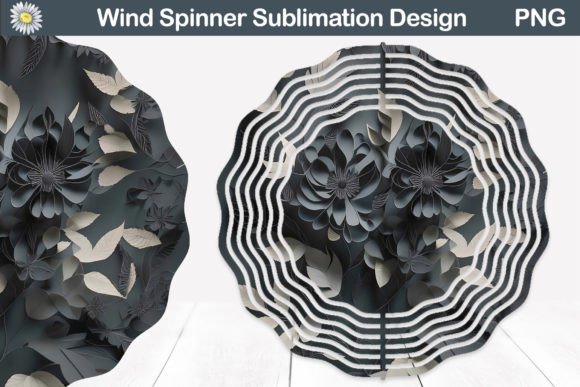
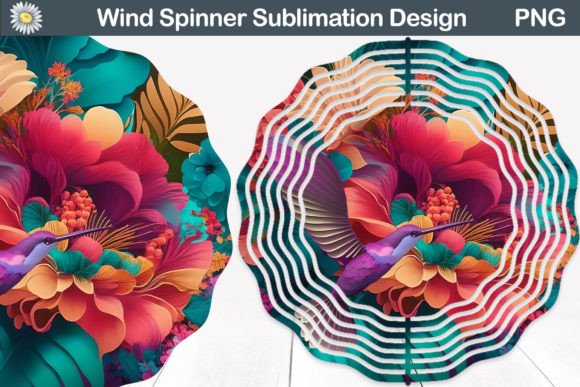
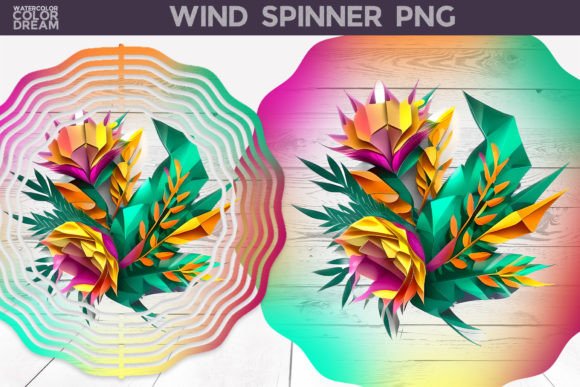
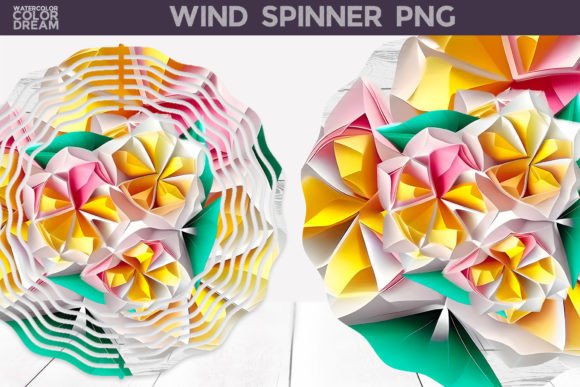
The "3D" aspect of these wind spinners refers to the visual depth created by the artwork itself—shadows, highlights, and overlapping petals that give the flowers a lifelike appearance. When printed via sublimation, the colors penetrate deep into the coating, resulting in vivid, fade-resistant hues. The glossy finish typical of many spinner blanks enhances the 3D illusion, making the tropical blooms appear to pop off the surface.
However, there is a common misconception that "3D" implies the spinner physically rotates in a complex mechanical way. In this context, it refers to the visual style of the graphic. The physical rotation is determined by the blank’s structure, while the graphic provides the aesthetic appeal.
Practical Application: From Digital File to Physical Product
Creating a finished wind spinner is a straightforward process, but attention to detail is key. Here is a step-by-step approach to using the downloaded ZIP file effectively.
Step 1: Extract and Organize
Once you purchase the download, locate the ZIP file on your computer. Right-click and select "Extract All" (Windows) or double-click (Mac) to unzip the contents. It is good practice to create a dedicated folder for each project type. Keep the original high-resolution files safe; never edit the master copy directly. Instead, make a duplicate for your design work.
Step 2: Check Your Template
One of the most critical steps mentioned in the product description is verifying the size of your product. Wind spinner blanks come in various diameters and petal counts (e.g., 6-petal, 8-petal, or multi-layered designs). You must measure your specific blank or consult the manufacturer’s template.
If your spinner blank is smaller than the full 10,327-pixel width, you will need to resize the image in your design software (such as Adobe Photoshop, Canva, or CorelDRAW). Because the source file is so large, you can shrink it down significantly without any loss of clarity. Conversely, if you attempt to enlarge a smaller image, you will introduce blur and artifacts.
Step 3: Customization Options
The beauty of these PNG files lies in their versatility. While they look stunning as stand-alone designs, you can enhance them further:
- Add Text: Incorporate inspirational quotes, seasonal greetings (like "Summer Vibes"), or your brand logo. Ensure the text contrasts well with the busy floral background.
- Layer Elements: If you have other transparent PNGs, such as butterflies or suns, you can layer them behind or around the flowers to create a more dynamic scene.
- Color Adjustment: Although the tropical theme is fixed, you can adjust brightness, contrast, or saturation to better match the specific white balance of your printer or the ambient light of your target market.
Step 4: Printing and Heat Pressing
Print your design onto sublimation paper using a dye-sublimation printer. Once printed, place the paper onto your spinner blank, secure it with heat-resistant tape, and run it through a heat press. Follow the recommended time, temperature, and pressure settings for your specific blank material (usually polyester-coated aluminum or steel). After cooling, peel away the paper to reveal a vibrant, durable finish.
Common Misunderstandings and Best Practices
As with any digital product, there are a few pitfalls to avoid to ensure customer satisfaction and personal success.
Resolution Confusion
Some users confuse screen resolution (PPI) with print resolution (DPI). Remember, for physical products, always stick to 300 DPI. The provided files meet this requirement. Do not try to stretch the image beyond its native dimensions, even if the file seems large enough on screen. Aspect ratio matters; if your spinner is circular but your image is rectangular, you may need to crop or fit the image carefully within your design software’s canvas.
File Format Limitations
It is important to note that this is not an SVG file. SVG (Scalable Vector Graphics) are vector-based and can be infinitely scaled without quality loss, making them ideal for cutting machines like Cricut or Silhouette. However, SVGs cannot capture the complex gradients and photorealistic details of a 3D floral print. Since this is a raster image (PNG), it is strictly for printing purposes. Trying to convert it to SVG using online converters will result in a jagged, low-quality mess that ruins the artistic intent. Accept the PNG format for what it is: a high-fidelity photographic print.
Resizing Without Quality Loss
A frequent error is trying to upscale a small image. If you only had the 3098x3155 version and tried to print it on a very large spinner, it might look soft. Always start with the largest available file (10,327x10,517) and scale down. Scaling down preserves pixel density; scaling up creates empty space between pixels, leading to blurriness.
Market Relevance and Creative Opportunities
Why should you invest time in creating Tropical Flowers 3D Wind Spinners? The answer lies in seasonal demand and aesthetic appeal.
Seasonal Decor
Wind spinners are quintessential summer decor. They catch the breeze, adding movement and sound to gardens, patios, and porches. The tropical theme evokes feelings of vacation, relaxation, and warmth, making them highly desirable during spring and summer months. They also serve as excellent gifts for housewarmings, birthdays, or holidays like Mother’s Day.
Small Business Potential
For those running Etsy shops, local craft fairs, or social media businesses, these spinners offer a low-cost entry point. The blanks are relatively inexpensive, and the digital files have no inventory cost. Once you master the printing process, you can produce batches efficiently. The high-quality nature of the 3D print helps justify a premium price point compared to generic, flat-printed alternatives.
Educational and Community Use
Beyond commerce, these designs are perfect for community centers, schools, or youth groups engaging in art and craft workshops. Teaching students about color theory, heat transfer processes, and digital-to-physical workflows is made easier with visually striking examples like these tropical flowers.
Conclusion
The Tropical Flowers 3D Wind Spinner digital pack is more than just a picture; it is a tool for creativity, commerce, and decoration. By understanding its technical specifications—specifically the high-resolution PNG format and 300 DPI quality—you can avoid common printing errors and produce professional-grade results. Whether you are a seasoned sublimator looking to expand your catalog or a beginner eager to try your first heat press project, this resource offers a robust foundation for success.
Remember to extract your ZIP file carefully, verify your spinner dimensions, and embrace the flexibility of the PNG format. With the right preparation, these vibrant tropical blooms can bring joy and color to any space, turning simple metal blanks into works of art that dance in the wind. Happy crafting!